 Buckets
Expense reports
Pick a trip's receipts and get a PDF with each amount and the total, ready to send.
Create an expense report PDF
Home, or Menu ☰ → Utilities → Expenses
- Search for them and include the words “expense report”: “receipts team week May 2026 expense report”. Only these words offer the document.
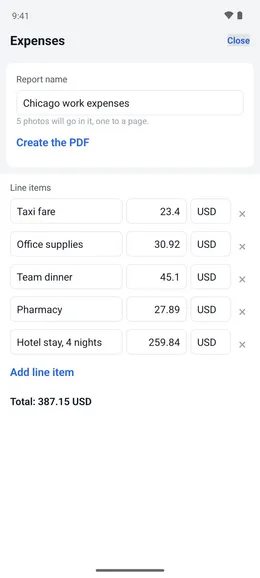
- Tap “Expenses”, name the report, then tap “Create the PDF”. The PDF has one receipt per page, with the date each photo was taken.
- Tap “Send it to an app” to pass the PDF to the share sheet, or “Email it” to open your mail app with it attached.
- From the menu, choose “Expenses”, search for the receipts, and tap “Add” on each one that belongs in the report.