 Buckets
Everything about someone on their card
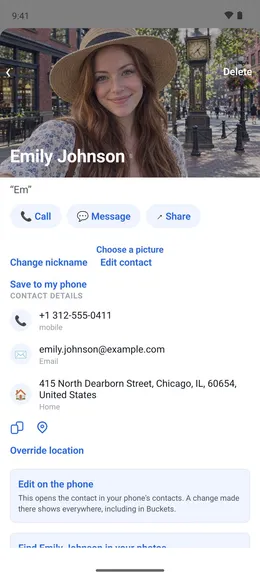
Their photos, events, documents, bank slips, relationships, nicknames, important dates and social media links, with Call, Message and Share.
Their card
Their photos, events, notes, special dates, other names, gender, primary communication method and the buckets they’re in.
Menu ☰ → Contacts → the contact
- Every contact is a bucket of its own. There is nothing to create.
- Tap “+ Add photos or videos”, tap each one that belongs to them, then tap Done.
- To put the contact in a bucket, such as Friends, tap “Add or change buckets” and choose it.
- Search the contact’s name to find everything in their bucket, including photos where their face doesn’t show.
Links
Their social media profiles a tap away.
Menu ☰ → Contacts → the contact
- Scroll to Links and tap “+ Add a link”.
- Tap “What is it?” and choose LINE, Instagram or a website. “Other” lets you enter a custom type.
- Enter the handle or the address, then tap Add.
- Tap the link later to open it in that app. It is stored on your phone, and your contacts are not changed.

Connections
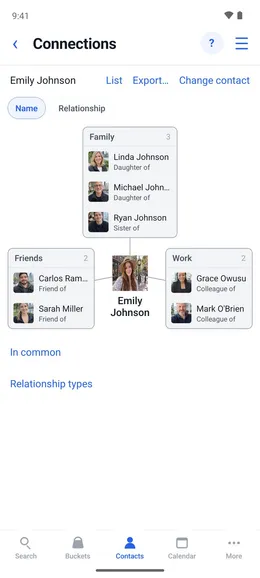
Their family, friends and coworkers are listed under Connections on their card.
Phone contacts
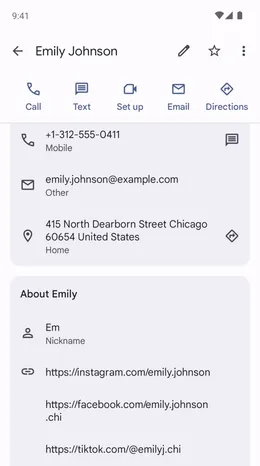
The card syncs to the phone’s address book. A change made in either place shows up in the other. Buckets, other names and gender stay in Buckets.