 Buckets
Invite a group
Pick contacts from a search or the map, add them to an event, and send the invitations by email, WhatsApp, LINE or Messenger.
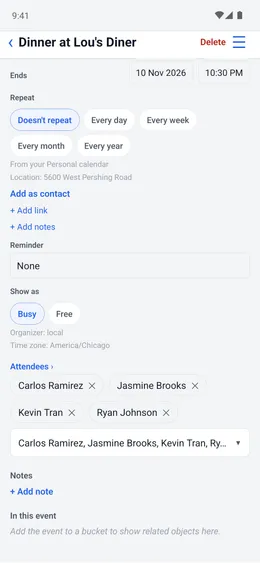
Create an event and invite contacts
Menu ☰ → Calendar → +
- Enter a name and select the event date.
- Tap “+ Add contacts” and select the attendees.
- Write an invitation if you need one, then use ☰ to email it or add the event to your calendar.
- Add the event to a bucket to find it with related contacts and photos.