 Buckets
Search everything
Type "Marcus on a boat with a hat" or "receipts from last month". It searches photos, videos, contacts, events, notes, links and documents.
A name
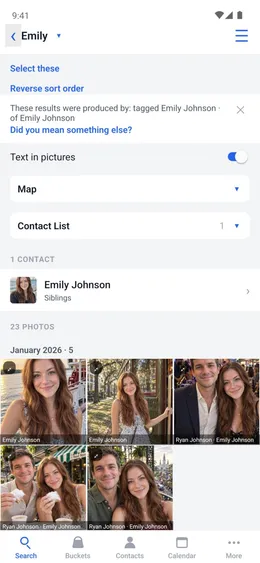
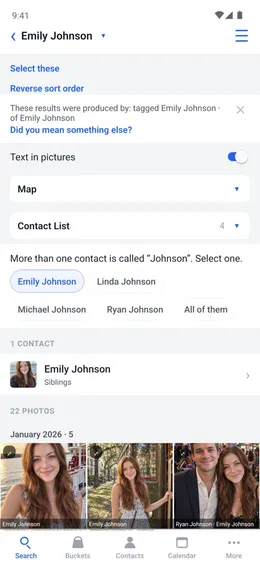
Enter a contact's name and you get their card, the photos they are in and everything in their bucket, in one list.
Home → Search
- Enter a name, such as “Emily”.
- Tap their name under Contact List to open their card.
- Map shows where the results were taken.
Search results
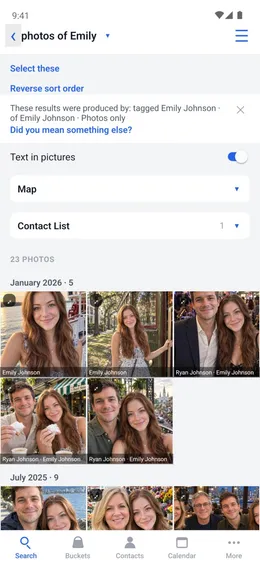
The line under the search box says what was found. “tagged Emily Johnson” is everything in her bucket. “of Emily Johnson” is the photos she is in.
Home → Search
- If it isn't what you meant, tap “Did you mean something else?” and pick the right meaning.
- Tap ✕ to hide the line.
Same name
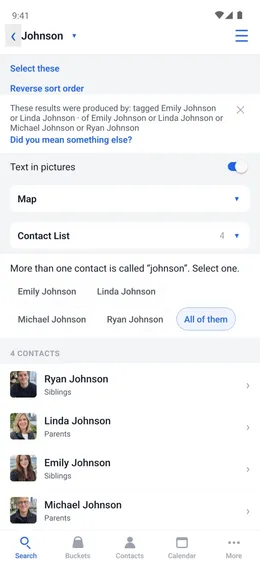
When more than one contact has the name, Buckets lists each of them.
Home → Search
- Enter the name, such as “Johnson”.
- Tap one person to see only their results, or tap All of them.
Sentences
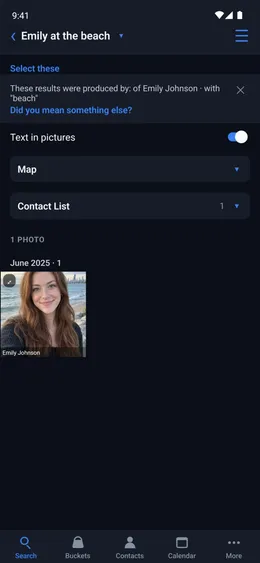
Ask for it the way you would say it: “photos of Emily and Ryan”, “receipts from last month”, “Emily at the beach”.
Home → Search
- Enter or say the sentence.
- Results are newest first. To see the oldest first, tap Reverse sort order.
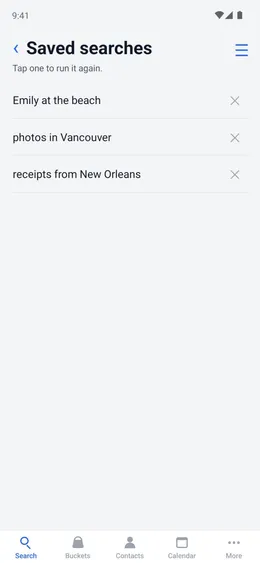
Saved searches
A search you use often is kept, and runs again with one tap.
Home → Search → Save this search
- To run it again: Menu ☰ → Utilities → Saved searches, and tap it.